
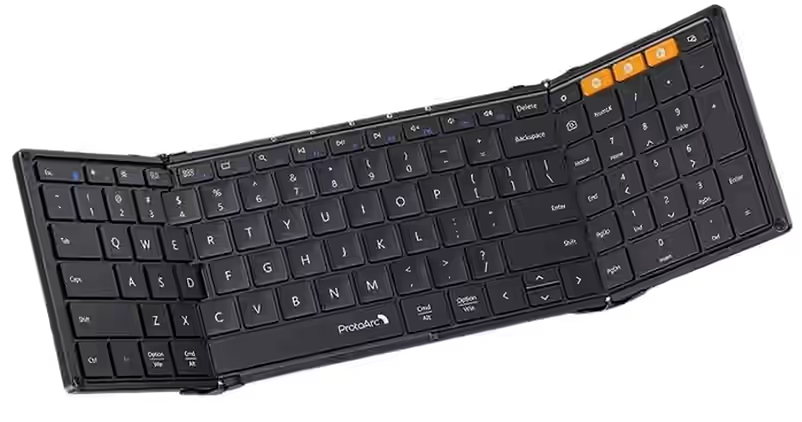
When people think of keyboards, they usually imagine a permanent PC desk or a gaming setup. I did too. But I didn’t buy the ProtoArc XK01 to replace my desktop keyboard, which still works well. I wanted a portable Bluetooth keyboard for typing on my phone, particularly when I’m away from my PC.
This is an unboxing and first impression, not a long-term test of a mechanical keyboard or a full-size RGB gaming model. I bought the folding XK01 for a very specific purpose: writing more comfortably when I don’t have a computer in front of me.
I often type on my phone, including work related to writing my novel. Touchscreen typing is convenient, but long notes and manuscripts eventually become uncomfortable. A small physical keyboard seemed more practical, so I looked for something compact, light, and easy to carry. That’s how I found the ProtoArc XK01.
Video review
See the keyboard and my first impressions in the Indonesian video below, or watch it on Nosphire.
Why I chose the ProtoArc XK01
I wasn’t already a fan of the brand. In fact, ProtoArc was relatively unfamiliar to me before this purchase. It wasn’t a name I heard regularly in Indonesia.
The company’s website showed international markets such as the United States, Canada, Germany, Turkey, and the United Kingdom. That reinforced my impression that it was less familiar locally, at least from my perspective. Its products seemed focused on portable productivity.
I picked the XK01 because I only needed a keyboard for my phone. I wasn’t looking for a complicated bundle. ProtoArc had other options, some with a phone holder, some with a mouse, and some more fully equipped. This model looked like the right balance of typing comfort and portability.
My main need: typing comfortably on a phone
I bought the keyboard as a practical writing tool, not to make my setup look more impressive.
Typing a short message on a phone is easy enough. Drafting a novel, writing long notes, or working on a manuscript is different. I wanted a keyboard that could:
- Fold for storage,
- Stay lightweight,
- Fit into a bag without much trouble,
- And remain comfortable for reasonably long typing sessions.
On paper, the XK01 fit that idea well: a compact folding Bluetooth keyboard designed for mobile use.
When the package arrived, shipping was the first concern
Before praising the keyboard, I need to mention that the shipping protection wasn’t reassuring.
I ordered from the official ProtoArc shop on Shopee. When the box arrived, the bubble wrap seemed far too thin for an electronic device, and I didn’t see a clear fragile label.
The courier had also left the parcel near a gate without what I considered a secure handoff. Luckily it didn’t fall, but the delivery made me worried about what might happen to the contents.
The outer product box was dented in several places. Fortunately, the most concerning areas weren’t badly damaged and the keyboard itself seemed safe. Still, I expected better packaging from the official store.
So even though I liked the product after opening it, packaging and delivery were the clearest disappointments of my purchase experience.
Unboxing: the impression changed as soon as I opened it
Inside the shipping package, the experience was almost the opposite. The XK01 felt premium from the moment I opened its box. I paid Rp290,957 with a special official-store voucher, so the presentation exceeded my expectations for its price range.
ProtoArc XK01 portable keyboard
The source article links to the XK01 listing at ProtoArc’s official Shopee store. Check the current listing and voucher terms before buying because my price was a one-time discounted purchase.
The contents were neatly arranged. I found a support letter, other personal-looking printed material, a manual, a USB-C charging cable, and warranty information. The box presentation felt unusually considered for the price.
Sometimes a product can be perfectly functional but feel ordinary to unbox. The XK01 was different. The small documents, presentation, and charging cable made the opening experience feel more special.
One card mentioned a designer named Nigel. It may not matter to every buyer, but I liked the personal detail. It’s not something I expect to see in every fairly affordable accessory.
Price and initial value
I considered the XK01 a product in the Rp200,000 range, based on the discounted price I paid. I had relatively modest expectations.
The initial impression was stronger. The box, design, and build felt more carefully presented than I’d expected. That doesn’t automatically make it equal to a costly premium keyboard, but I liked the value I seemed to be getting.
Because this was my first folding keyboard in this category, I wasn’t in a good position to compare the price with numerous competitors. I can only say that its initial value felt good to me.
Physical design: compact and foldable in three sections
The XK01’s main idea is straightforward: a tri-fold keyboard that travels easily. Its portable design is obvious as soon as you hold it.
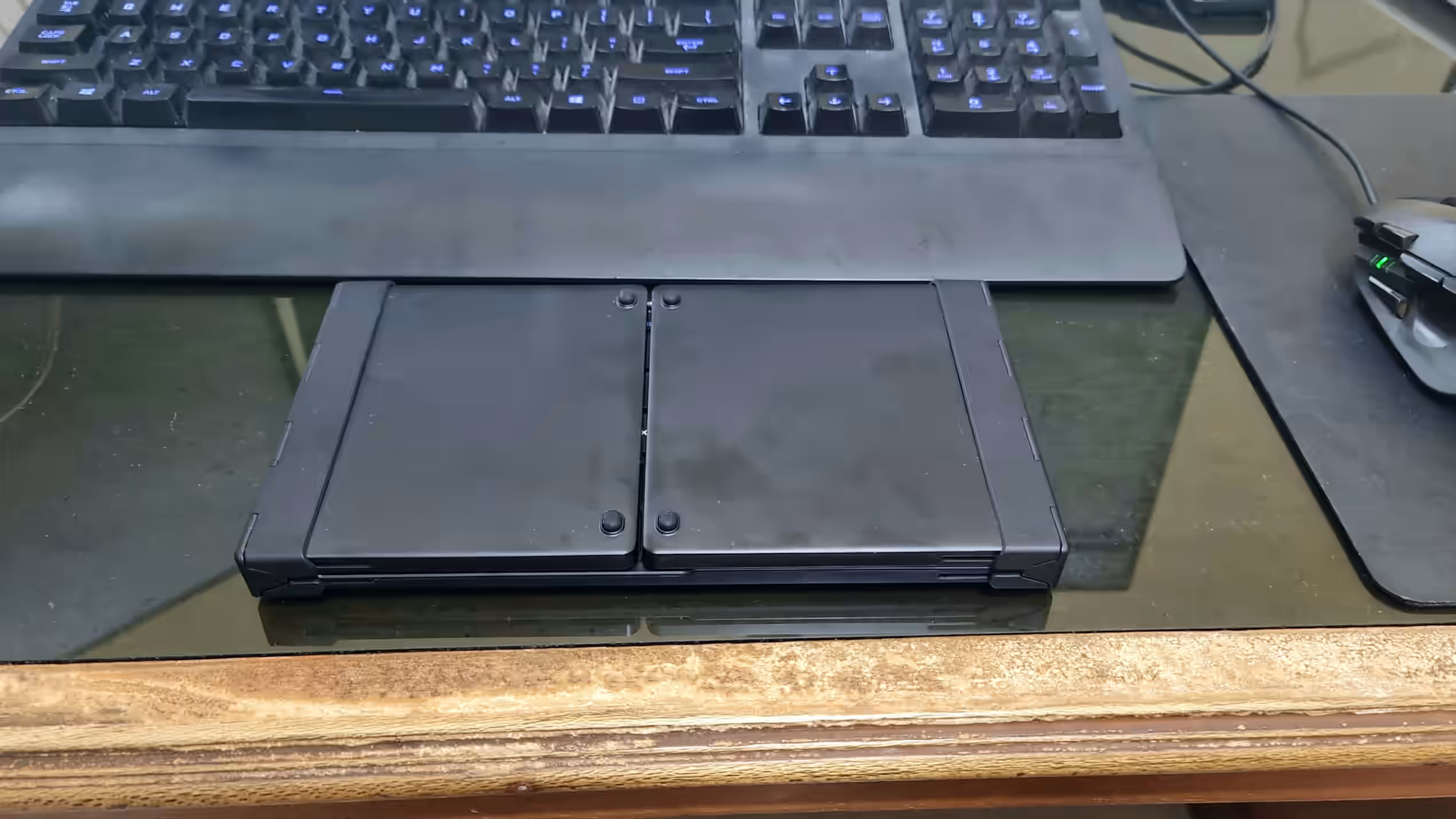
I liked that it was compact without feeling excessively tiny. I deliberately wanted keys that remained reasonably close to the size of a familiar computer keyboard, because shrinking everything too far would defeat the purpose.
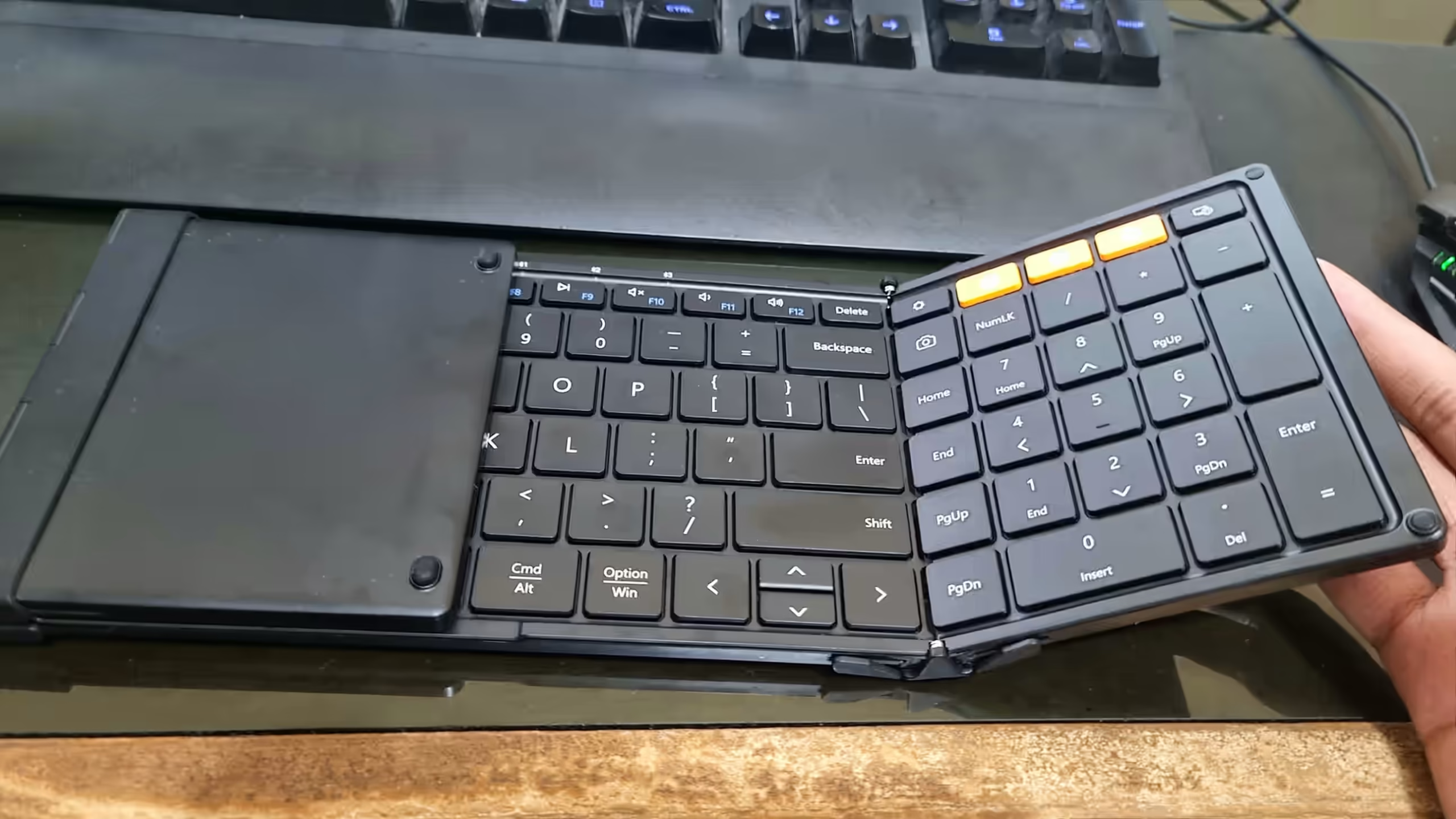
As far as I knew, there were smaller versions or alternatives without a number pad. I preferred this one because I wanted a more familiar typing experience.
For me, portable shouldn’t mean uncomfortable.
I initially assumed the package might include a small carrying pouch. It didn’t. The folded keyboard was compact but not something I’d simply put into a clothing pocket. I thought a small bag or sling bag would be more realistic.
No backlight or RGB, which suits me
The ProtoArc XK01 doesn’t have colorful RGB lighting or a prominent backlight, and I see that as a positive.
I usually prefer simple-looking accessories. Even small lights can bother me if they’re too bright. The XK01 focuses on utility instead of looking like a gaming keyboard, which matches what I wanted.
For a portable writing keyboard, that seems like the right priority.
Bluetooth connection and initial typing
Pairing made the first impression even better. When I opened the keyboard, it powered on and began searching for Bluetooth devices. My Android phone detected it, and setup was straightforward.
I opened a project related to my novel on the phone and started typing. It worked immediately, without the frustrating setup process I sometimes expect from wireless accessories.
It felt almost like plug-and-play, even though it connected over Bluetooth. I didn’t have to struggle with it before getting work done.
Extra functions worth exploring
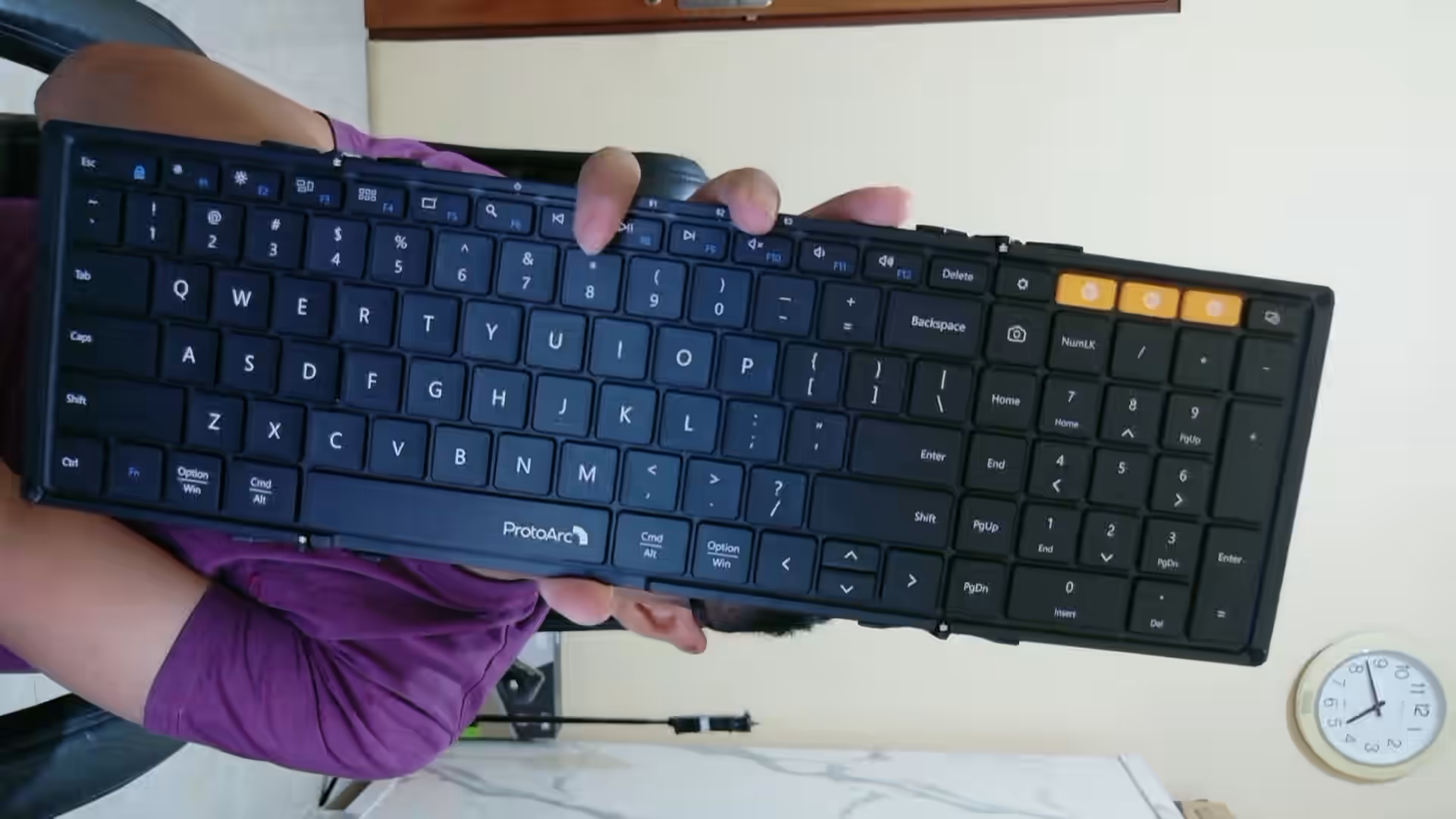
Once connected, I checked the other keys. The XK01 seemed to offer more functions than I’d originally expected.
The functions I saw included:
- Multiple Bluetooth profiles,
- Possible switching between devices using Bluetooth buttons 1, 2, and 3,
- Settings function keys,
- Quick menu access,
- Brightness controls,
- Search,
- Music playback keys for play, next, and previous,
- Volume controls,
- And a screenshot key.
The screenshot shortcut was immediately appealing. Taking a screenshot on a phone can be awkward depending on its buttons or the open app, so a dedicated key seemed genuinely useful.
I tested the number pad, and it worked. Enter, space, Shift, and the other basic keys also responded correctly. The keyboard didn’t merely pair successfully; I could actually use it for typing.
I also noticed what looked like customizable key behavior involving Escape, Option, Windows, and Command functions. I hadn’t explored the options deeply during unboxing, so I won’t claim to know every customization setting.
A small detail I liked: closing it turns it off
One pleasant design choice was that folding the keyboard closed powered it off. That’s convenient for something meant to travel.
The packaging specified a 250 mAh battery. I also noticed what seemed to be battery-status indicators. The capacity sounds small, but with no RGB lighting and modest typing demands, I didn’t immediately see it as a disadvantage. I wondered whether it might last around 100 hours, but I didn’t test or verify that battery-life figure.
My strongest first impression: premium
If I had to choose one word for the first hour or so with the XK01, it would be premium.
The box contents, printed materials, USB-C cable, keyboard design, and easy Bluetooth connection all made it feel more carefully prepared than I’d expected.
This was my first keyboard in the category, so I recognize that some of my excitement came from trying something new. Still, the XK01 gave me confidence that its design had been thought through.
The biggest drawback wasn’t the keyboard, but the delivery
After unboxing, my strongest criticism wasn’t aimed at the keyboard’s function. It was the packaging and shipping.
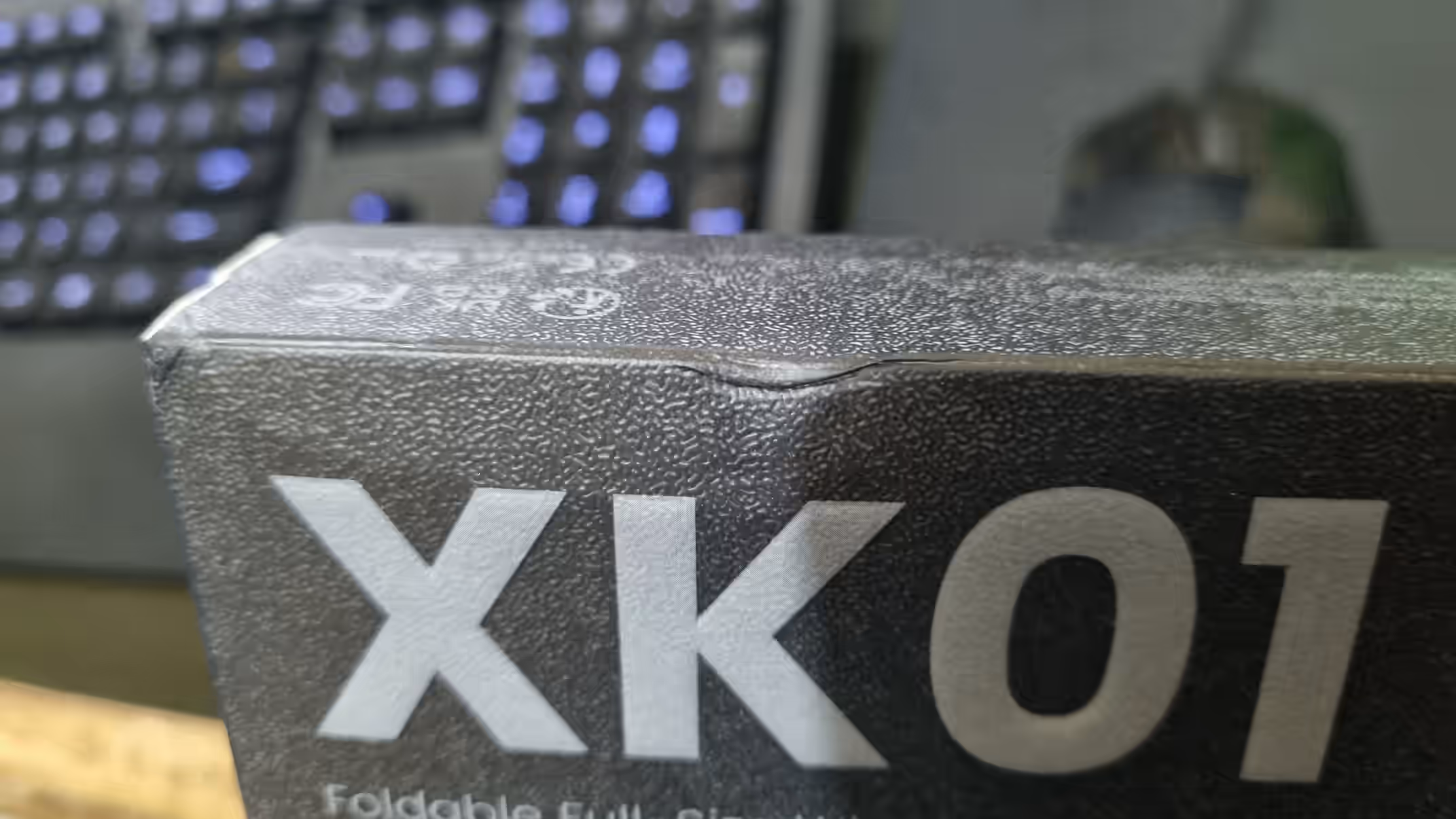
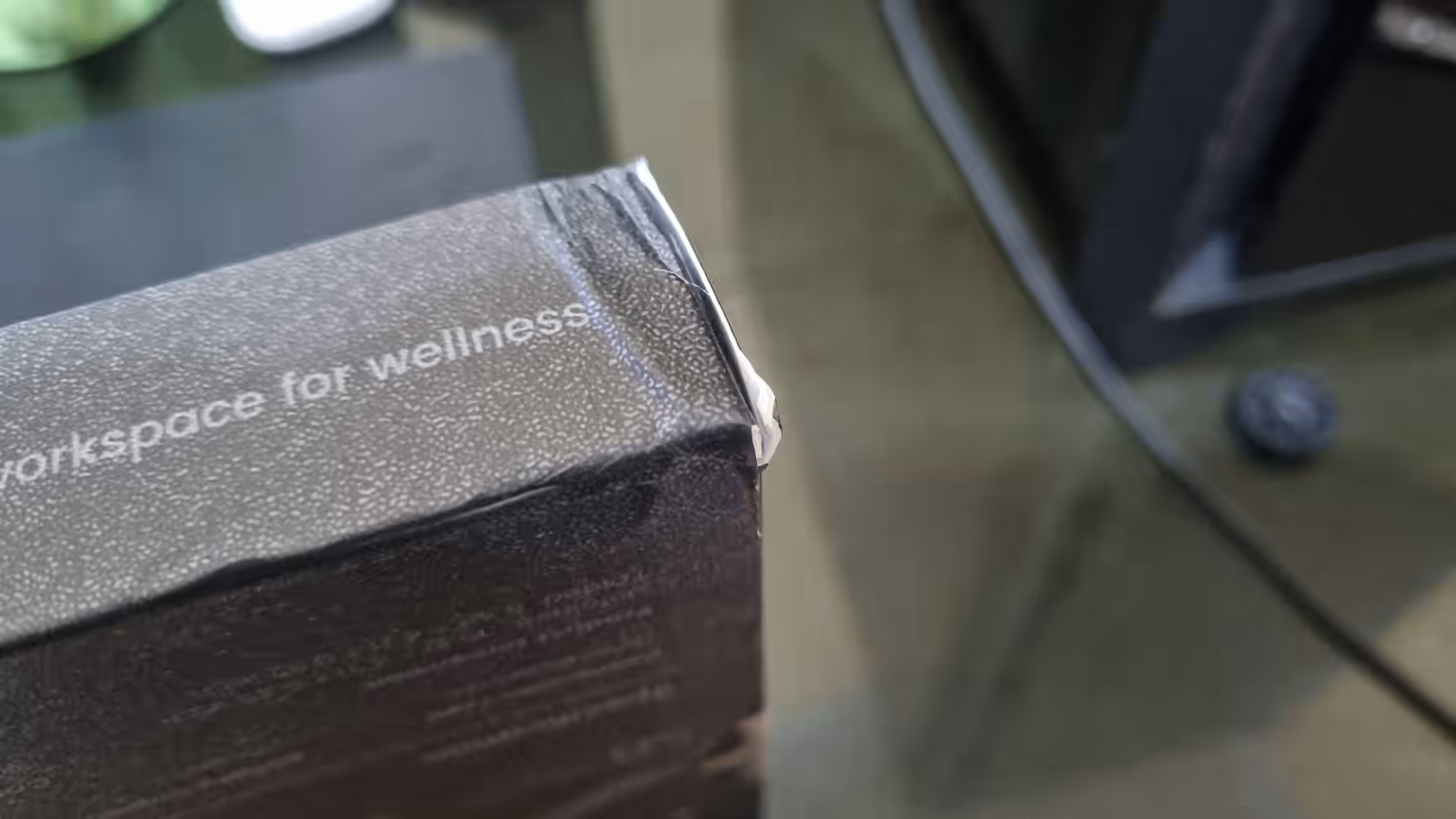
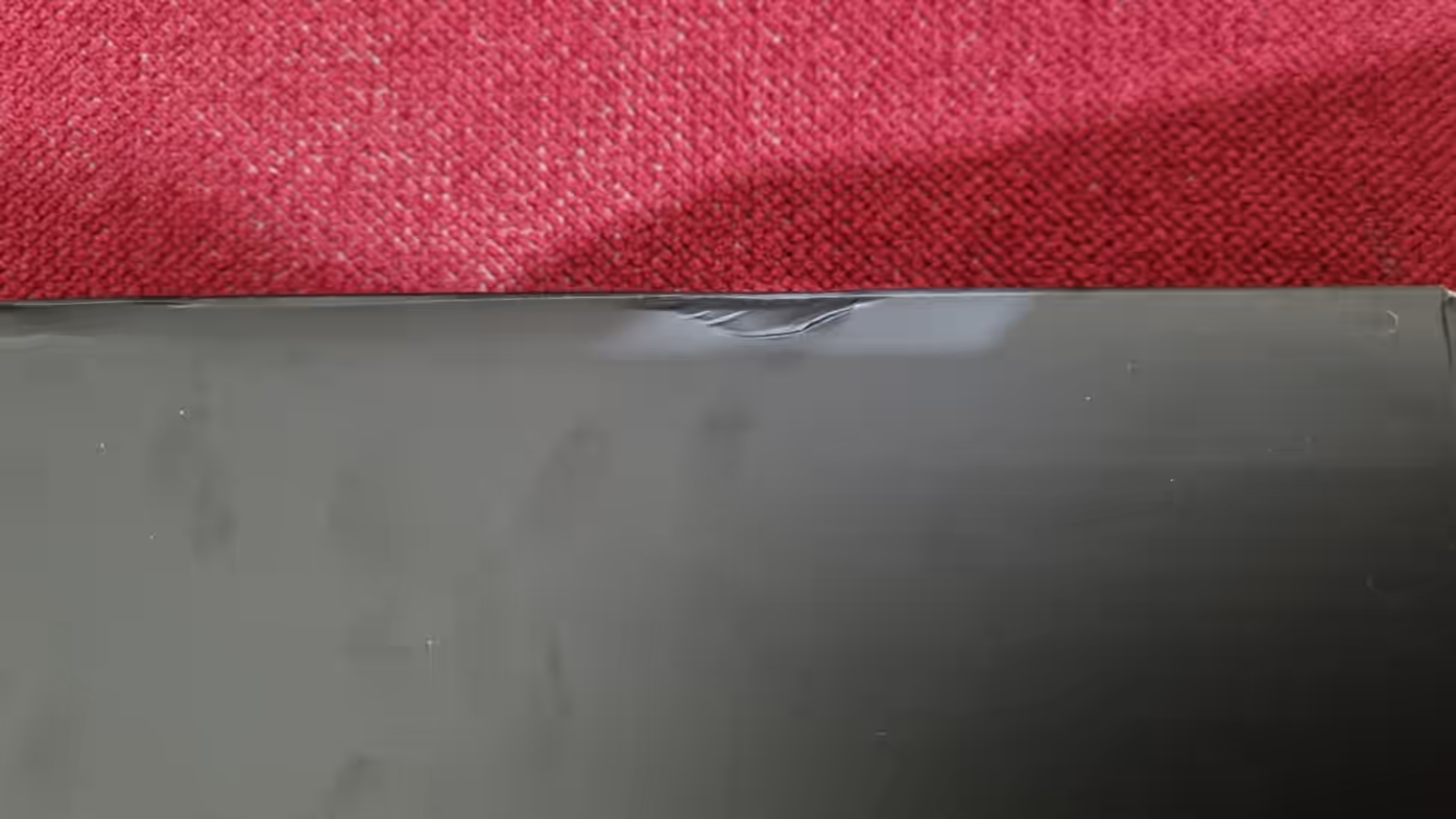
The thin bubble wrap, dented box, lack of a clear fragile label, and how the courier left the package were all concerning. Luckily the product itself was unharmed.
Nothing in my first test of Bluetooth pairing, key feel, or design bothered me as much as the delivery. That distinction matters when judging the product fairly.
Conclusion: a strong first impression of my first portable keyboard
As my first folding keyboard for writing on a phone, the ProtoArc XK01 made a very good initial impression. It was compact, easy to carry, quick to pair, and comfortable enough for me to begin writing. The additional keys made it feel more versatile than a basic portable keyboard.
ProtoArc XK01 portable keyboard
The original article also provides a link to the official ProtoArc Shopee listing here. Always confirm prices, discounts, and availability directly in the store.
The premium feel remained the biggest surprise. For the discounted price I paid, the unboxing, design, and first use were more polished than expected.
My main complaint still concerns the delivery packaging, not the keyboard itself. The initial device experience was positive.
For unboxing and first-impression purposes, I found the ProtoArc XK01 functional, portable, and surprisingly premium. Long-term durability and battery endurance remain outside this short test. For another hands-on accessory review, read my Logitech G402 mouse review. You can also check ProtoArc’s official website.